Diagrams,
right in Claude.
Ask Claude how anything works and get a finished, on-brand diagram in the chat. No drawing, no fixing labels.
Claude
What happens when a customer pays? Show the app, our server, the payment provider and the bank.
Here’s the payment flow, from tap to confirmation:
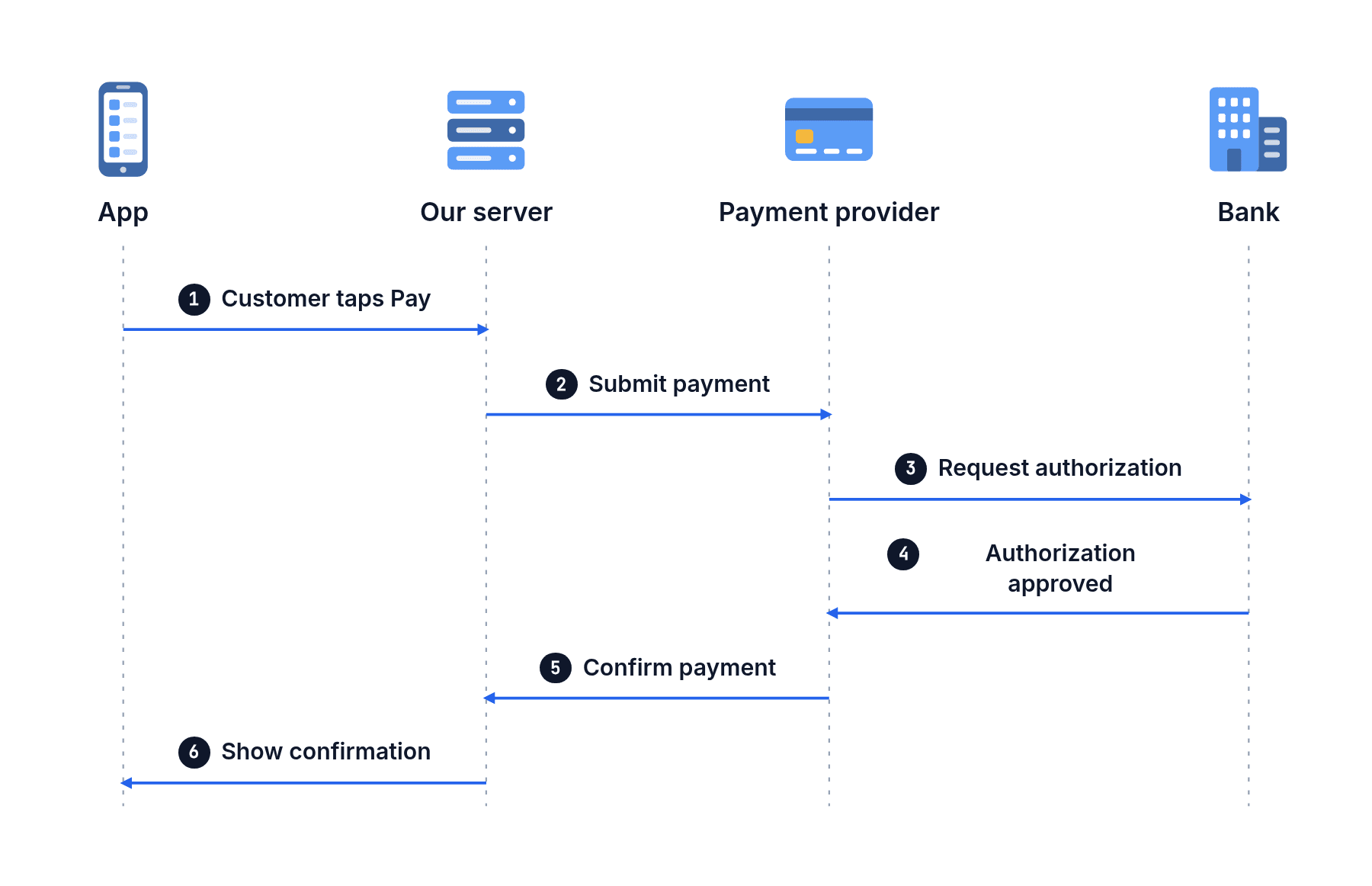
Ask about anything you’d explain.
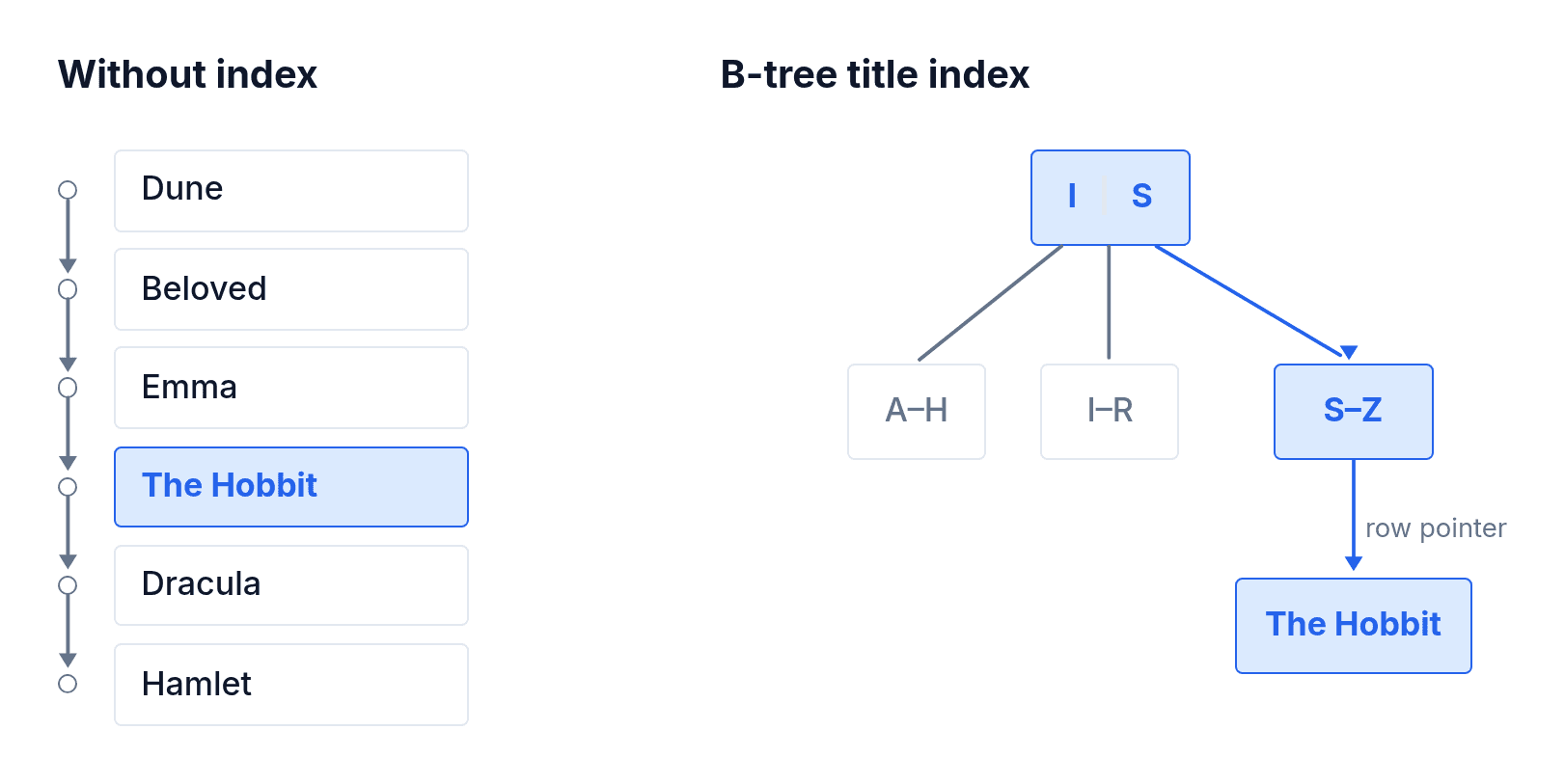
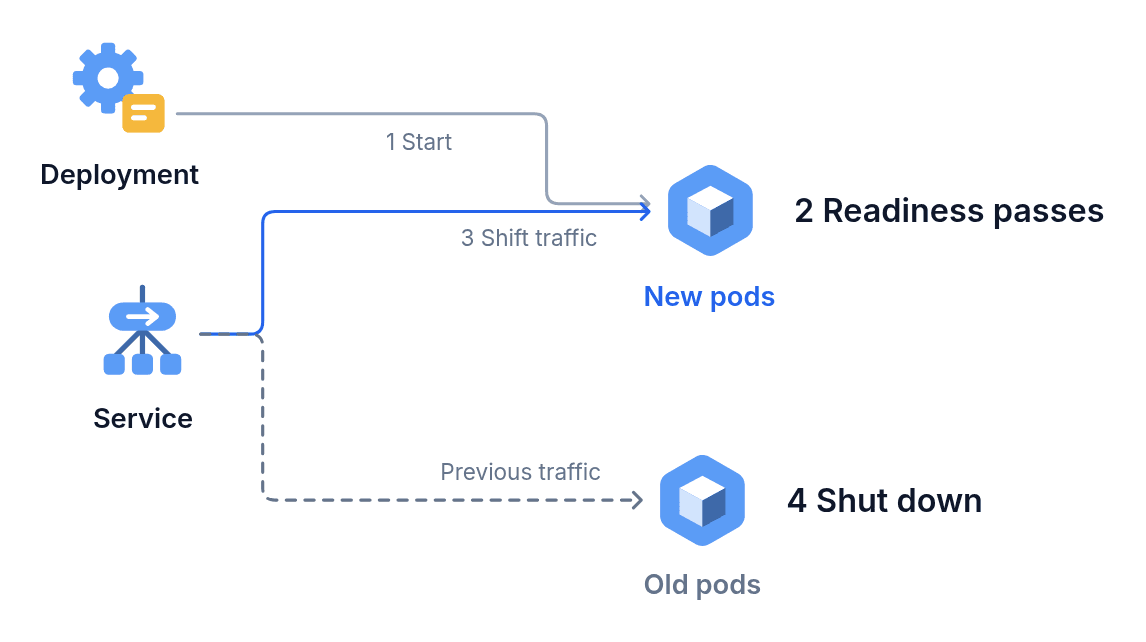
Systems, science, numbers and plans. Each of these came from one request.
“How does a database index speed up a query?”
“How does a vaccine teach the immune system?”

“How does Kubernetes roll out a new version of an app?”
Then make it move.
Ask Claude to animate it and the same diagram comes back as an MP4 or a looping GIF, sized for a post, a slide or a video.
See more animationsGradient descent · Animation
Add it in a minute.
- In Claude, open Customize → Connectors and find diagramkit.
- Click Connect and sign in, or create a free account.
- Ask Claude how something works.
Questions
Why not just ask Claude to draw it?
On its own, Claude gives you a rough draft to fix. diagramkit returns a finished, branded diagram with every label right, and can animate it.
Which Claude plans work?
All of them, Free included. On Team and Enterprise, an owner turns it on for everyone.
What does it cost?
It uses your diagramkit credits: 5 for a new diagram, 2 for a change you ask for, 8 for an animation. Every account starts with 20 free credits, and editing a diagram yourself is always free.
What tools can I export to?
Anywhere a picture goes. Download SVG to edit it in Figma or Canva, PNG for Google Docs, Notion, Confluence and your docs site, PDF for print and LinkedIn document posts, and MP4 or GIF for LinkedIn, X, Instagram, YouTube and slides in PowerPoint, Keynote or Google Slides.
Can I change the diagram?
Ask Claude for any change in your own words, or open it in diagramkit and click a label to retype it.
Who can see my diagrams?
Only you, and your team on a Team plan. Every diagram is private and saved to your diagramkit library.