Skip to content
diagramkit

Comparison

diagramkit vs Napkin AI

Napkin turns your text into visuals. diagramkit draws how things actually work. Here are the same three prompts in both.

1

How a CDN serves a page

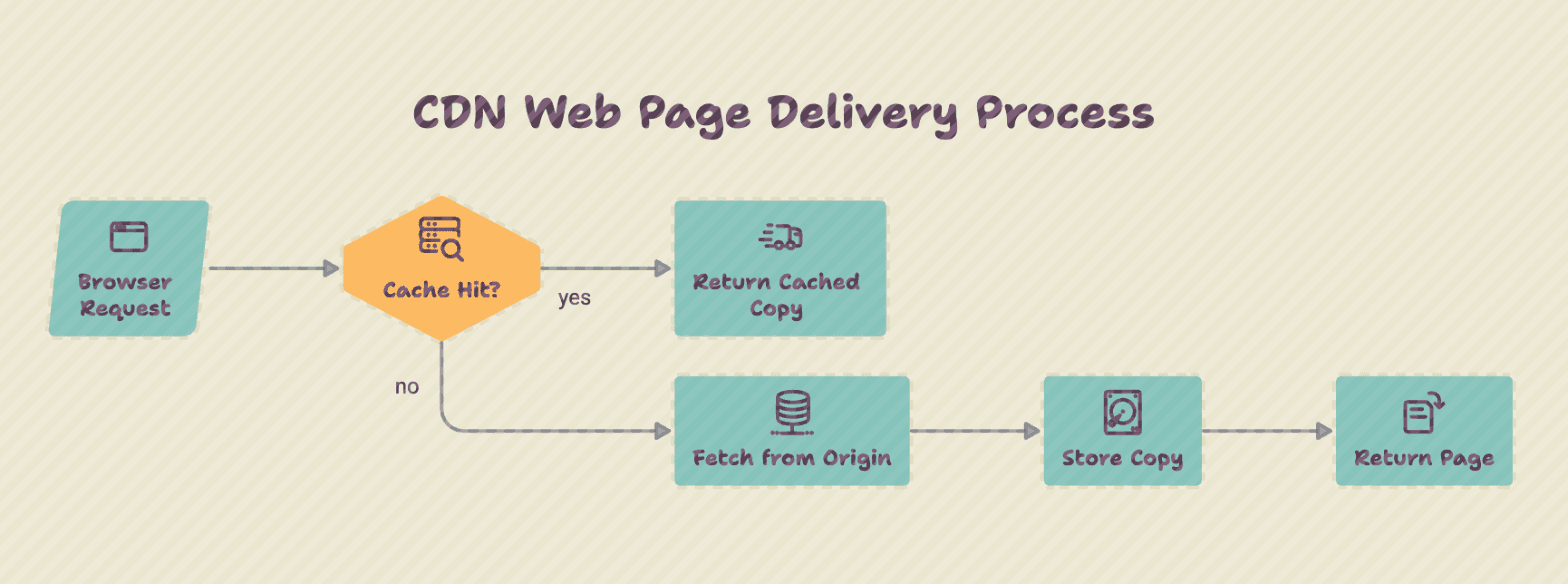
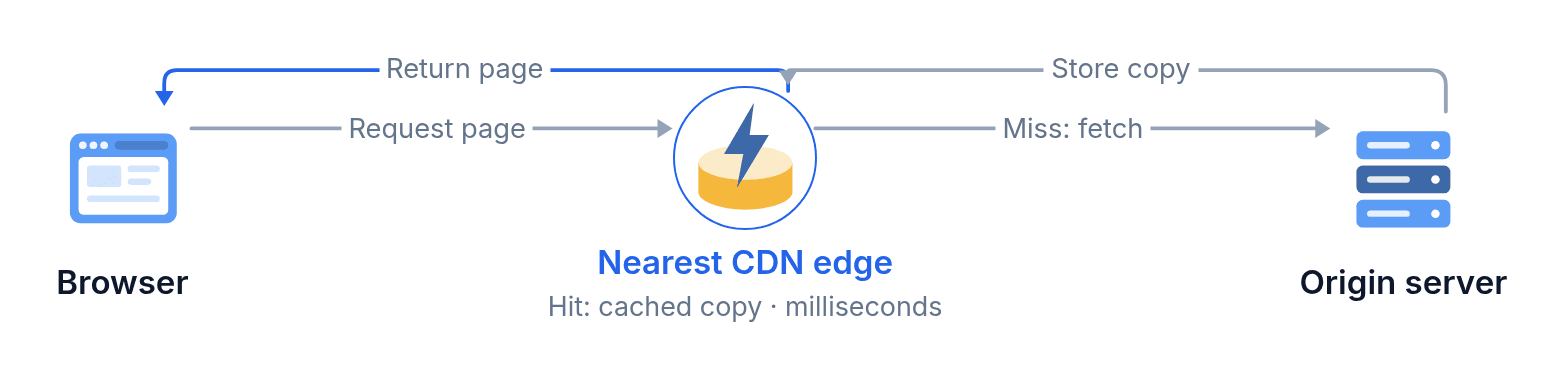
“How a CDN serves a web page: the browser requests the page from the nearest edge server. On a cache hit, the edge returns its stored copy in milliseconds. On a cache miss, the edge fetches the page from the origin server, stores a copy, and returns it.”
Napkin AI
Napkin AI's result for: How a CDN serves a page
A clear flowchart with icons. The edge server and the origin are steps, not places.
diagramkit
diagramkit's diagram for: How a CDN serves a page
The browser, the edge and the origin drawn as parts, with the hit and miss paths between them.
2

How a pull request gets merged

“How a pull request gets merged: a developer opens a pull request, CI runs the tests, and a reviewer either approves it or requests changes. Requested changes send it back to the developer. Once tests pass and it is approved, it merges into main and deploys.”

Napkin AI
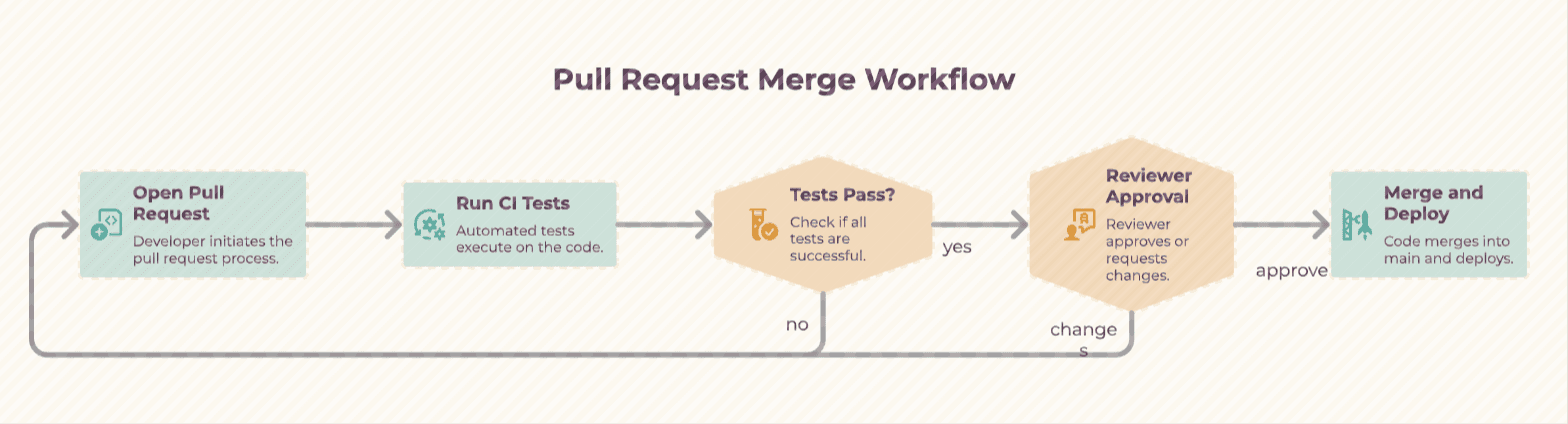
Napkin AI's result for: How a pull request gets merged
Correct and colourful, with a sentence in every box. The loop’s label breaks across lines.
diagramkit
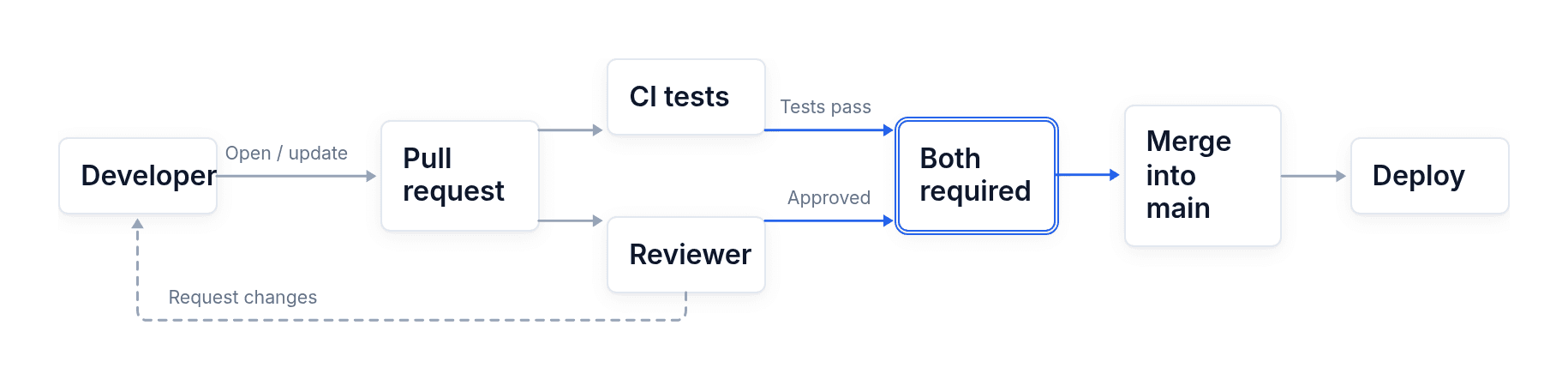
diagramkit's diagram for: How a pull request gets merged
One line: tests and review side by side, both required before merge.
3

How RAG answers a question

“How RAG answers a question: the user's question is turned into an embedding, the vector database returns the most similar document chunks, and those chunks are added to the prompt so the LLM writes an answer grounded in them, with citations.”

Napkin AI
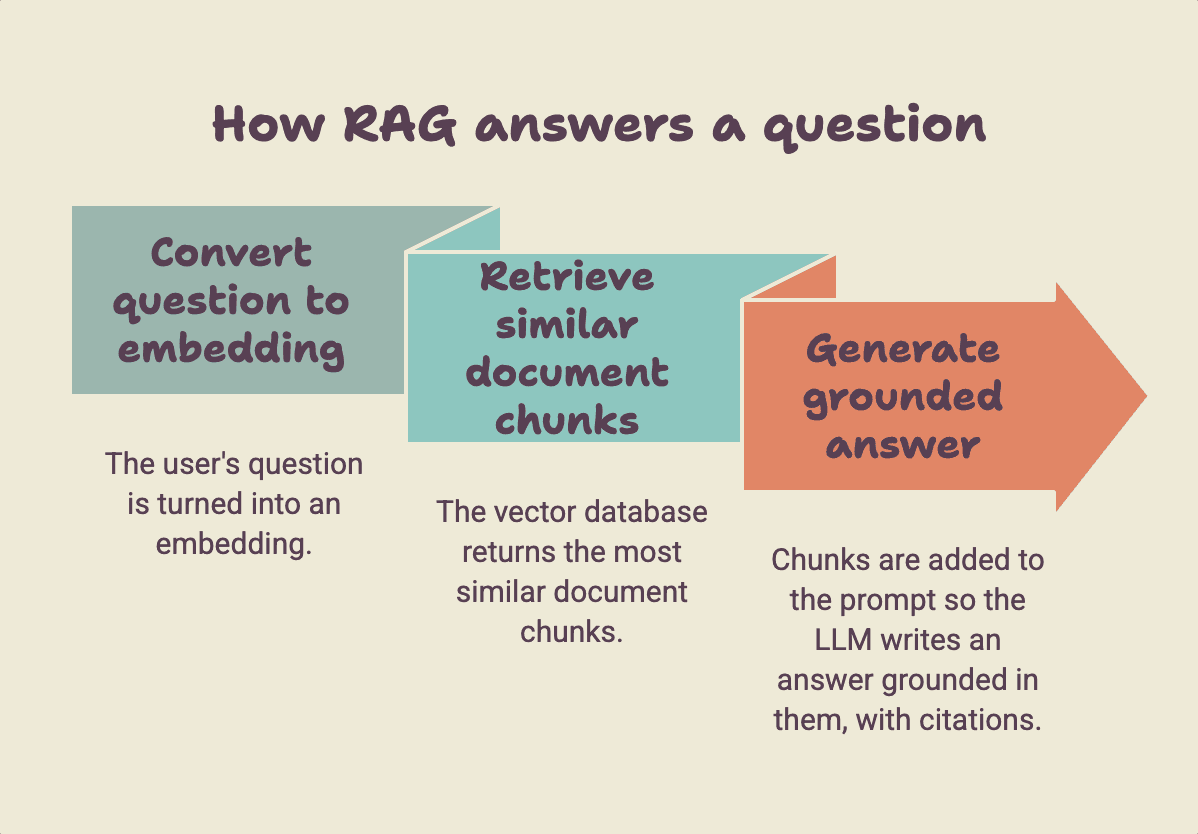
Napkin AI's result for: How RAG answers a question
Three steps as arrows. The question, the database and the LLM never appear.
diagramkit
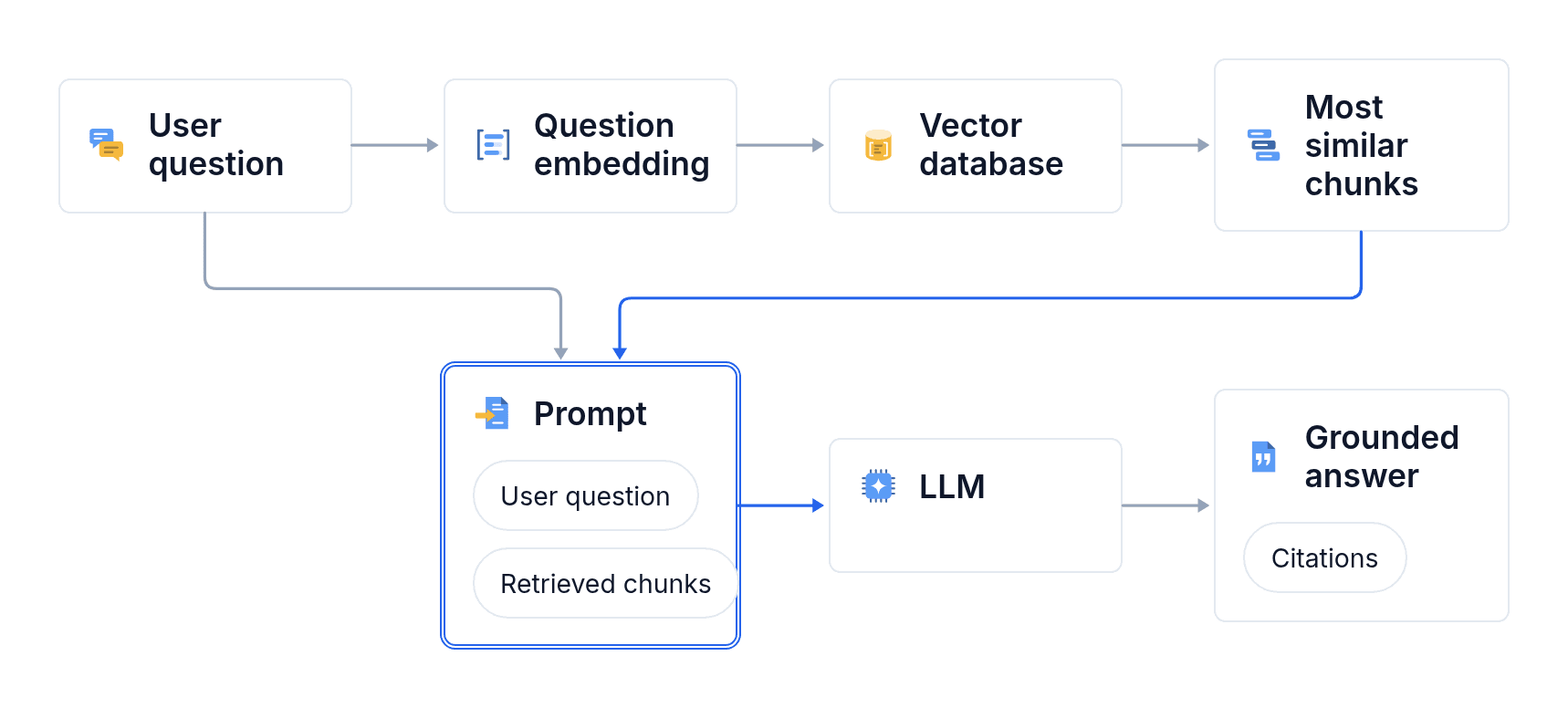
diagramkit's diagram for: How RAG answers a question
The whole pipeline, from the question to a cited answer, with icons for each part.

Which one is for you?

Pick Napkin AI for

  • Quick visuals for slides and business docs
  • Turning a long document into visuals, paragraph by paragraph
  • A big free plan

Pick diagramkit for

  • Explaining how systems, processes and ideas work
  • Animated diagrams for posts, launches and videos
  • Diagrams straight from Claude or ChatGPT, made by the same agent as the app
  • Flows, charts, maps, timelines and labeled illustrations in one tool
Start free

Side by side

Napkin AIdiagramkit
Built forVisuals for business writingExplainer diagrams for docs, blogs, courses and video
Animation—MP4 and GIF
Claude and ChatGPTMCP in betaIn both directories, with the same agent as the app
APIYesYes, $0.50 a diagram
ExportsPNG, PDF, SVG, PPTPNG, JPG, SVG, PDF, MP4, GIF
PriceFree, Plus $9, Pro $22Free, Pro $29, Team $49 a seat

See what it draws for you.

Make a diagram