What is MCP? How the Model Context Protocol works
MCP (Model Context Protocol) is an open standard for connecting AI apps to other software. A company puts an MCP server in front of its product once, and any AI app that speaks MCP can use it: Claude, ChatGPT, Cursor, VS Code and others. The server tells the app what it can do, and the app runs those actions when the model asks for them.
Why MCP exists
A model only knows its training data and what is in the conversation. To answer "What is blocking AB-123?" it needs Jira. To draft a reply it needs Gmail.
Before MCP, each AI app built its own connection to each product. Three apps and four products meant 12 integrations, each one built and maintained separately. With a shared protocol, each app builds one MCP client and each product builds one MCP server. The same three apps and four products need 7 pieces, and every app can use every product.
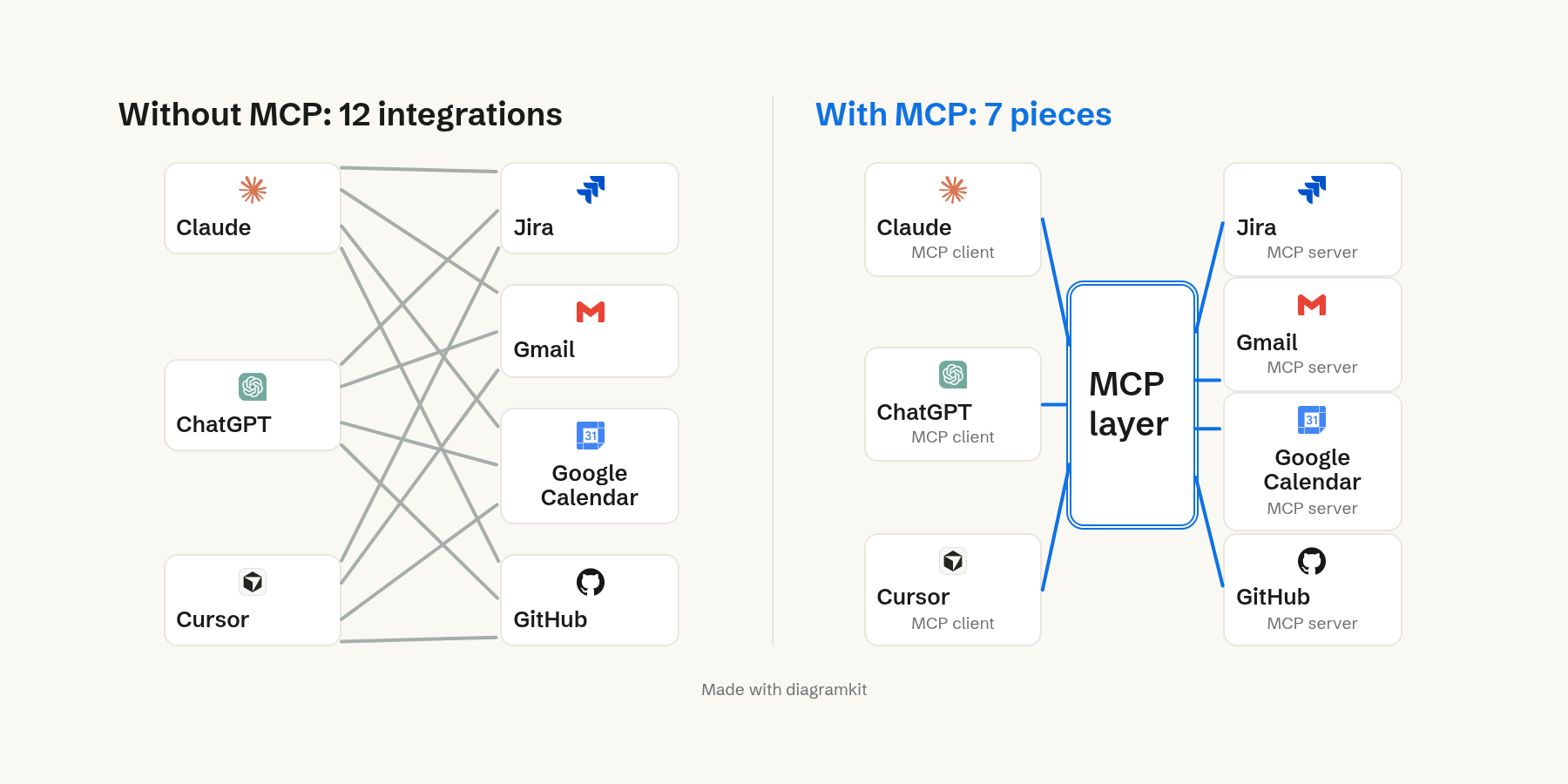
The gap grows with scale. Ten apps and 100 products need 1,000 direct integrations, or 110 pieces with MCP. The official docs compare it to a USB-C port: one shape of plug, so any device fits (modelcontextprotocol.io).
What an MCP server offers
The app you type into is the host. Each product you connect has an MCP server, a small program that sits in front of the product's API. The specification gives a server three kinds of things to offer:
- Tools are actions the model can ask to run, such as getting a ticket or creating one. Some only read data. Others change it.
- Resources are data the app can read into the conversation, such as a project's fields or a sprint board.
- Prompts are ready-made requests a person picks, such as a standup summary.
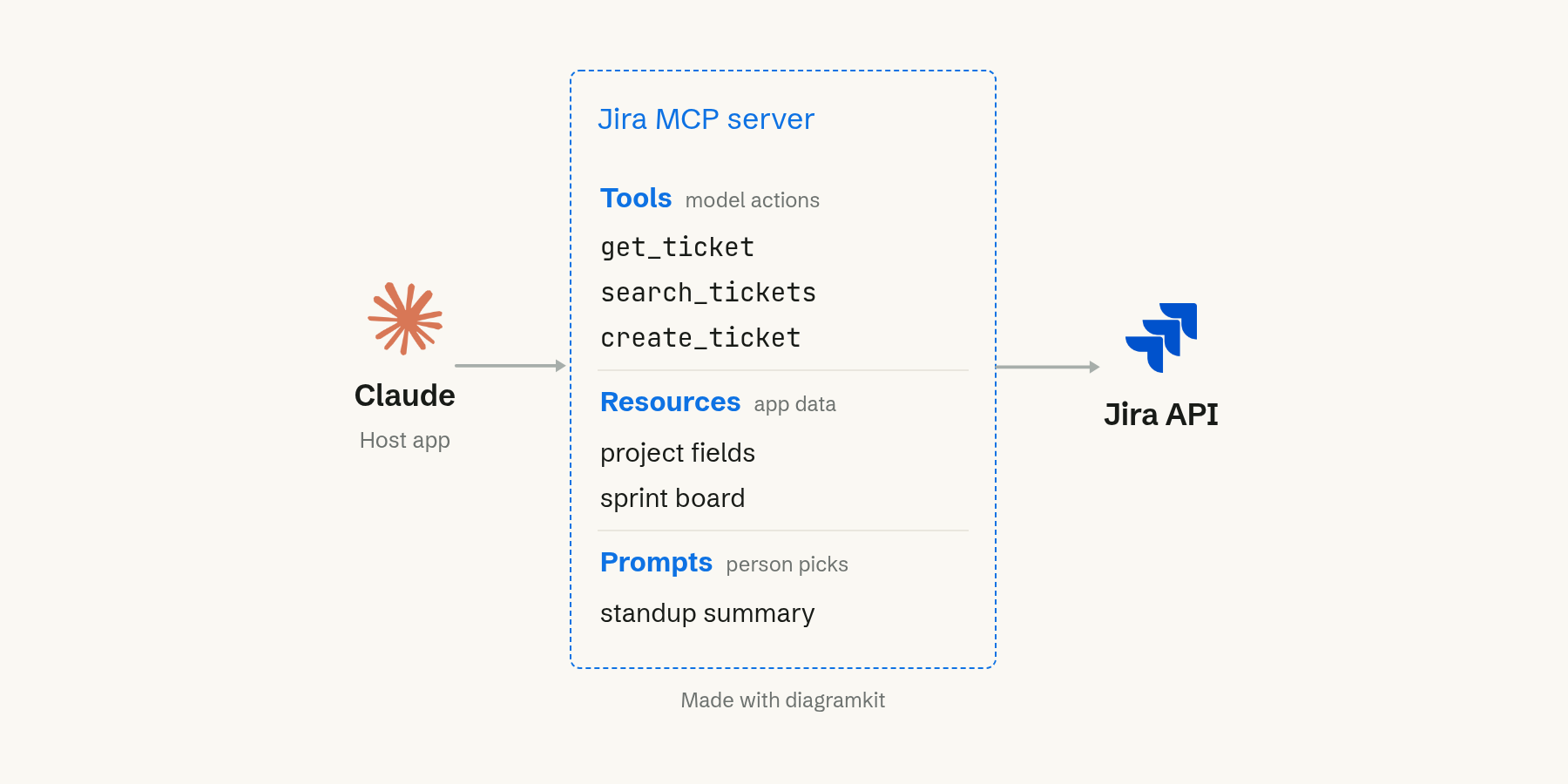
Tools matter most in practice. They are how an AI app goes from answering questions to doing work in your products (architecture overview).
What the model sees about a tool
The model never sees the server's code. It sees a short definition of each tool: a name, a description in plain words, and the inputs it takes.
The name is what the model writes when it wants the tool. The description is how it decides whether the tool fits the request. The input schema says what it has to fill in, for get_ticket a single ticket key. To use the tool, the model writes the name and the inputs, and the server does the rest.
How one question runs through MCP
Here is what happens when you ask Claude "What is blocking AB-123?" with a Jira server connected.
- When the server connects, Claude asks it for its tools, and the server sends back their definitions.
- You ask your question.
- Claude picks the tool whose description fits and writes a request:
get_ticketwith the keyAB-123. - The server calls the Jira API, and Jira sends back the ticket.
- The server hands the result to Claude.
- Claude answers from the real ticket: AB-123 is blocked by AB-98.
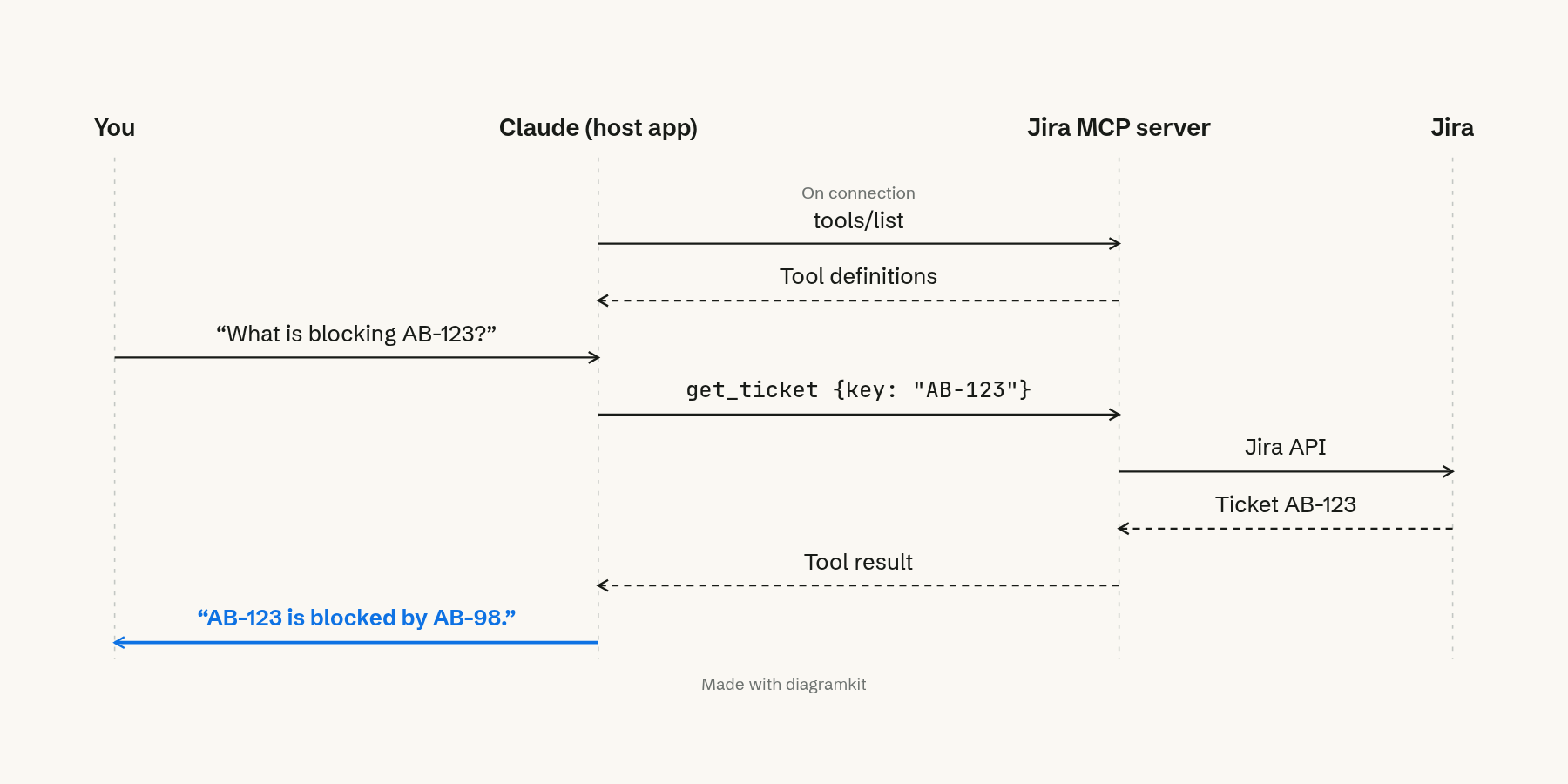
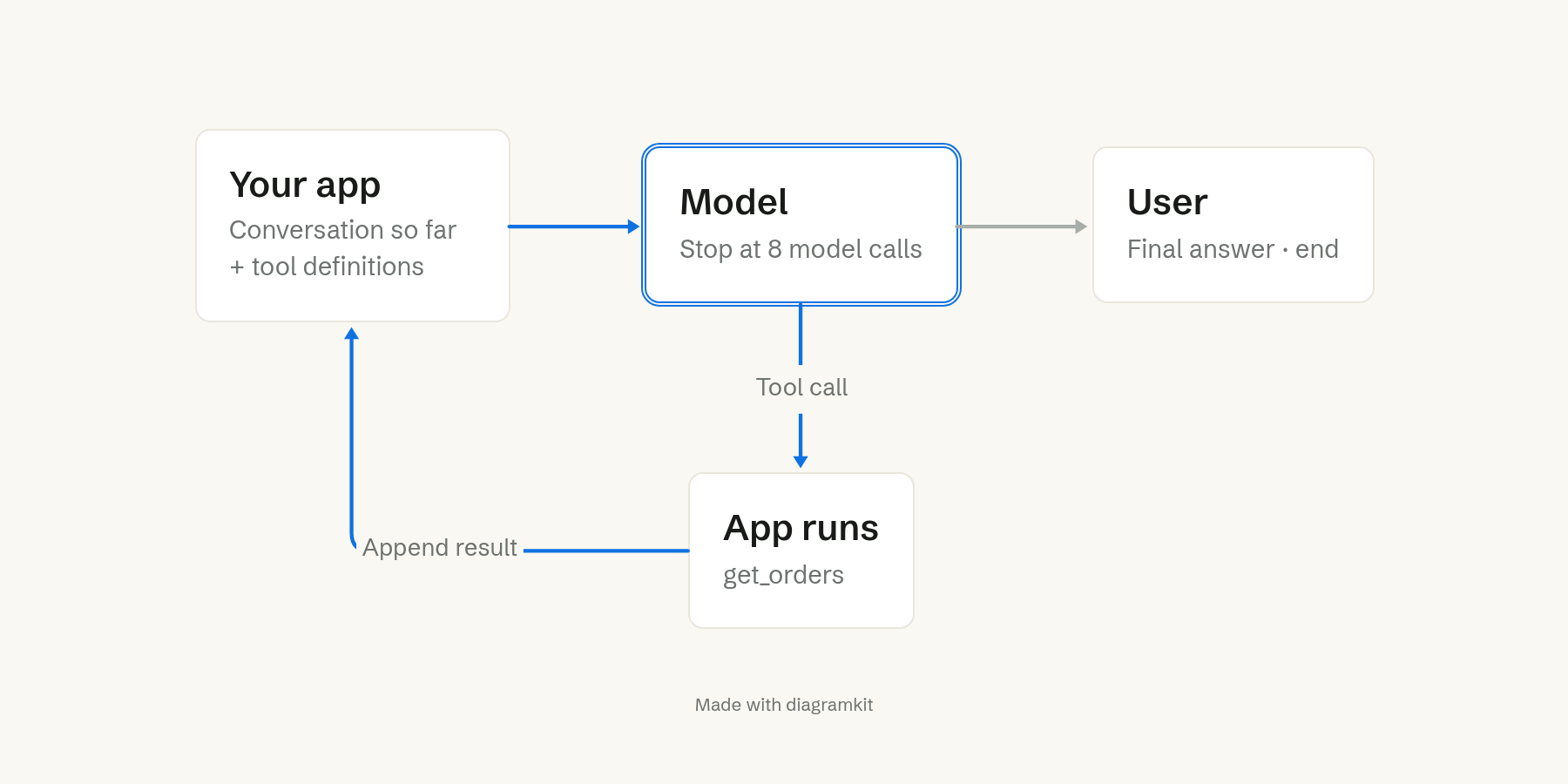
The model does not call anything itself. It writes a request as text, and the app sends it to the server. That is why the app can ask you to approve a tool that changes data before it runs.
When two tools sound the same, the model guesses
The model picks a tool only from its description, so a vague description leads to the wrong tool. Say a Jira server has get_ticket and search_tickets, and both are described as "Get tickets." Asked about AB-123, the model has to guess. If it picks search, it gets back every ticket that mentions AB-123 and may answer about the wrong one.
The fix is in the words. Descriptions that say when to use each tool ("Get one ticket by its key", "Find tickets by words in them") make the choice obvious. If you build an AI feature on tools, reading the tool descriptions is one of the cheapest checks you can make.
Too many tools fill the context window
Every tool definition the app loads goes into the model's context window, the fixed amount of text the model reads at once. Connect enough servers and the definitions take most of it before the model reads your message.
The MCP docs give the numbers. With dozens of servers and hundreds of tools, loading every definition up front can take about 150,000 tokens. Finding tools when they are needed takes about 2,000 (client best practices).
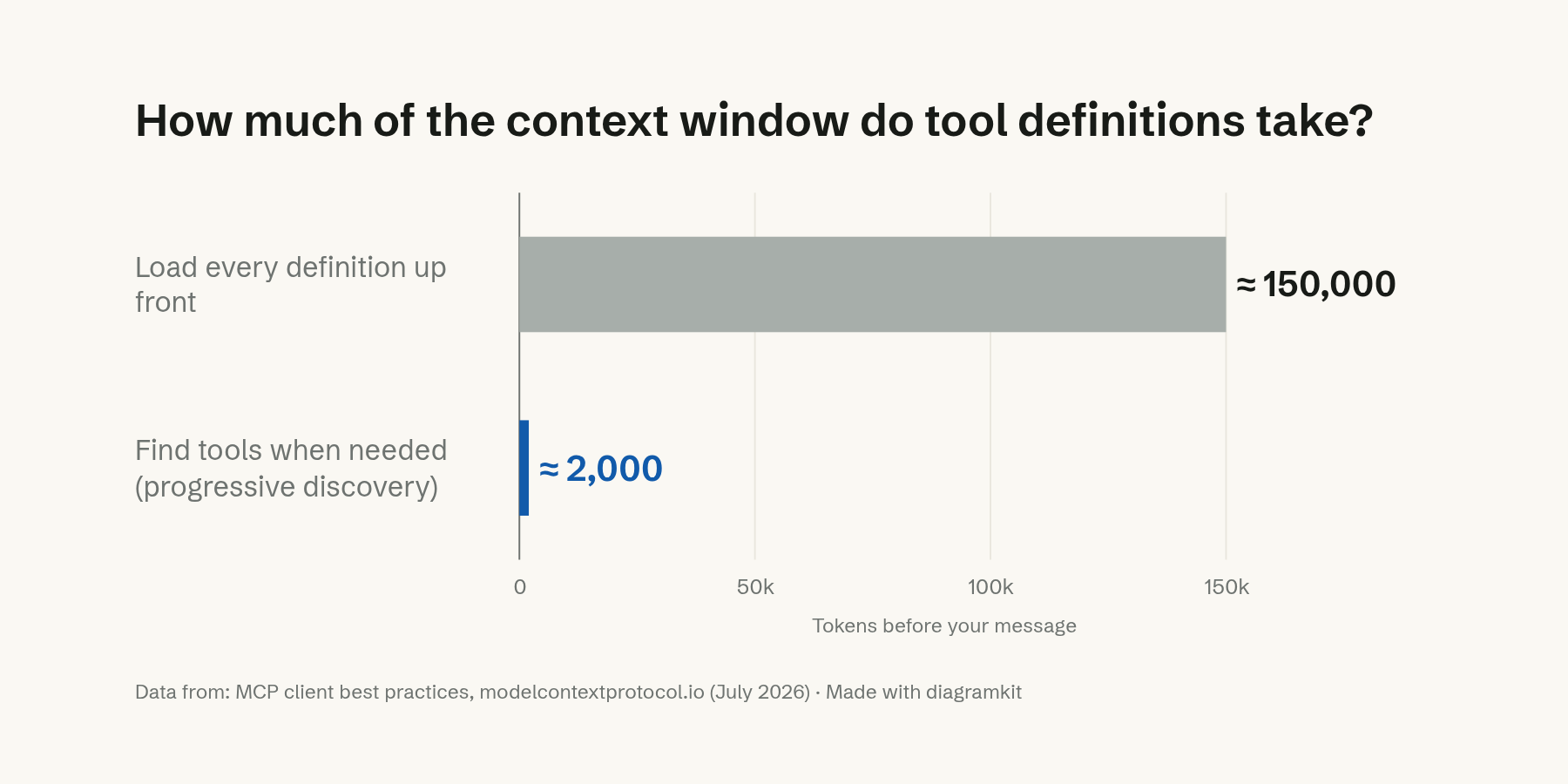
The docs call the fix progressive discovery. The app gives the model one search tool and loads a tool's full definition only when a task needs it. They suggest switching once definitions take more than a small share of the window, around 1 to 5 percent. Fewer tools in view also makes the right one easier to pick.
How MCP became the standard
Anthropic released MCP as an open standard in November 2024 (Anthropic). OpenAI adopted it in March 2025, so one server could work in both companies' products (TechCrunch). In December 2025 Anthropic gave MCP to the Agentic AI Foundation, a fund under the Linux Foundation that it co-founded with Block and OpenAI (MCP blog).
The July 28, 2026 specification made each request stand on its own, so a server no longer holds a session open between messages. By then the official SDKs were downloaded close to half a billion times a month, up from 97 million in December 2025 (MCP blog).
FAQ
What is the difference between MCP and an API?
An API is written for developers, who read its documentation and write code against it. An MCP server sits on top of an API and describes it for a model, which finds the tools and calls them while it works. Products that offer an MCP server keep their API. The server is another way in.
Is MCP only for Claude?
No. Anthropic created it, but it now belongs to the Agentic AI Foundation under the Linux Foundation. ChatGPT, Cursor, Gemini, Microsoft Copilot and VS Code support it too.
Is MCP safe to use?
MCP is a way of passing messages. Safety depends on the server and the app. A local server runs on your computer with your permissions, so connect servers from companies you trust. Keep approval on for any tool that changes data, and prefer servers that ask only for the access a task needs.
Filed under How AI works