Diagrams for your
Mintlify docs.
Ask Claude Code, Codex or Claude for a diagram. It comes back finished and in your brand, and goes on the page you name.
Concepts
Architecture overview
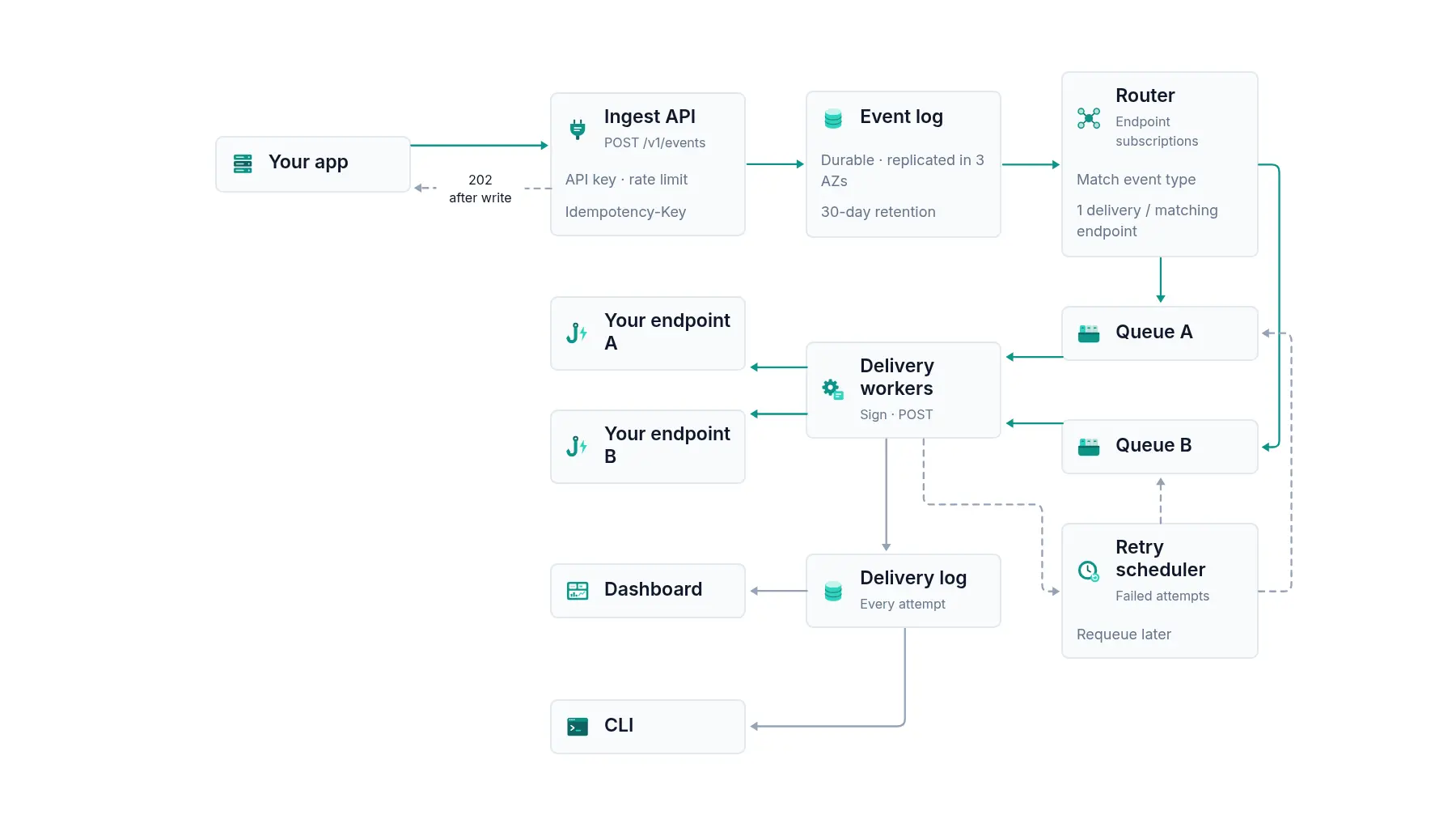
How an event moves through Relay, from your request to your endpoint.
From your docs repo to the page.
Open your docs repo in Claude Code and say which page needs the diagram. It is saved next to your pages and added where the text explains the same thing.
~/relay-docs
>
Events and webhooks
Send events
Endpoints and subscriptions
Each endpoint subscribes to the event types it wants. Relay creates one delivery for each endpoint whose subscriptions match.
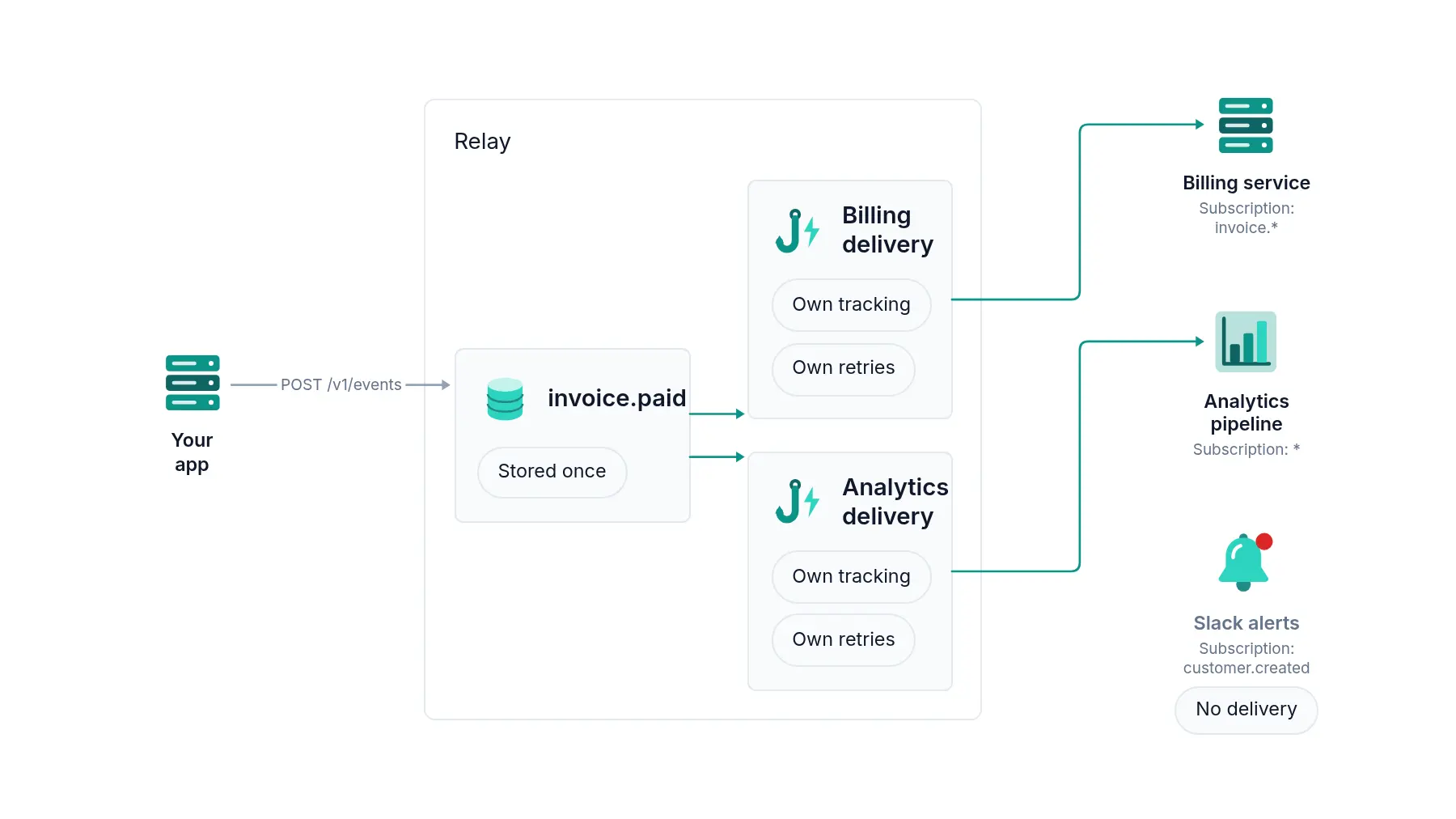
Relay is a made-up product. Its docs are a real Mintlify site, with diagrams made in diagramkit.
Three ways in.
Pick the one that matches where you already work on your docs.
Your coding agent, in the docs repo.
Install the diagramkit plugin in Claude Code, then ask for the diagram and name the page. In Codex, add colinmatthews/diagramkit-plugin as a plugin marketplace and run codex plugin add diagramkit@diagramkit. You sign in to diagramkit the first time it runs.
>
Claude, with Mintlify’s connector.
Connect diagramkit and Mintlify’s MCP to Claude and ask in one message. Claude adds the diagram to the page on a new branch and opens a pull request. Nothing goes live until you merge it.
relay-docs · Pull request
OpenAdd a webhook retry diagram to the Webhooks page
docs/webhook-retries → main
- +webhook-retries.png
- Mwebhooks/delivery.mdx
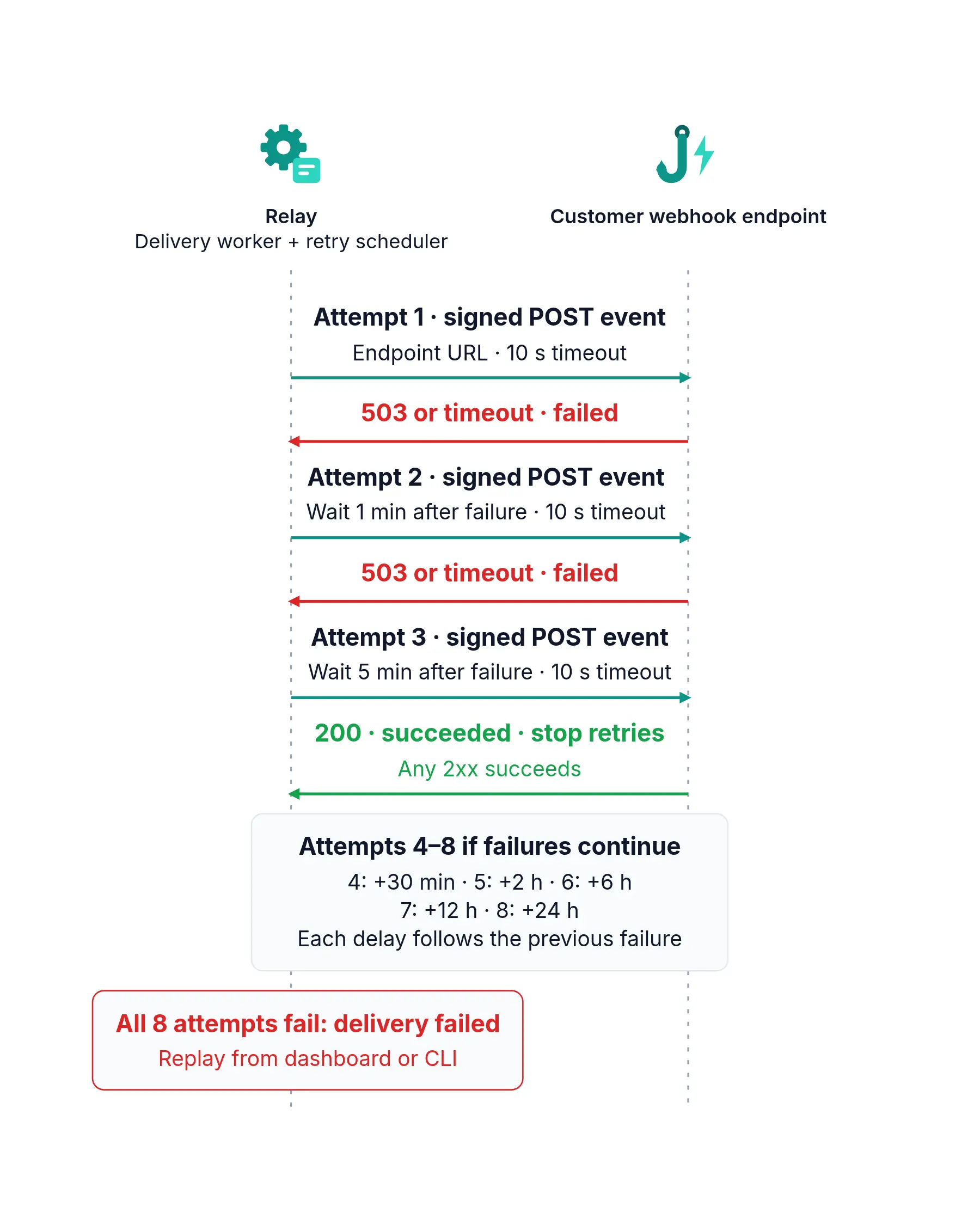
Nothing goes live until you merge it.
The API, from a script or CI.
Make the diagram with the docs preset, then download the file into your repo. Use it when diagrams come from a pipeline, such as one for every new guide.
$ In your brand.
Set up your brand once and every diagram after that uses your colours, fonts and shapes, so it looks like the rest of your docs. Brand setup is part of the Team plan ($49 a seat a month, from 3 seats) and Enterprise.
Team and Enterprise
Concepts
How a request reaches your app
Every request resolves through DNS, reaches the nearest CDN edge, and only reaches the web server on a cache miss.
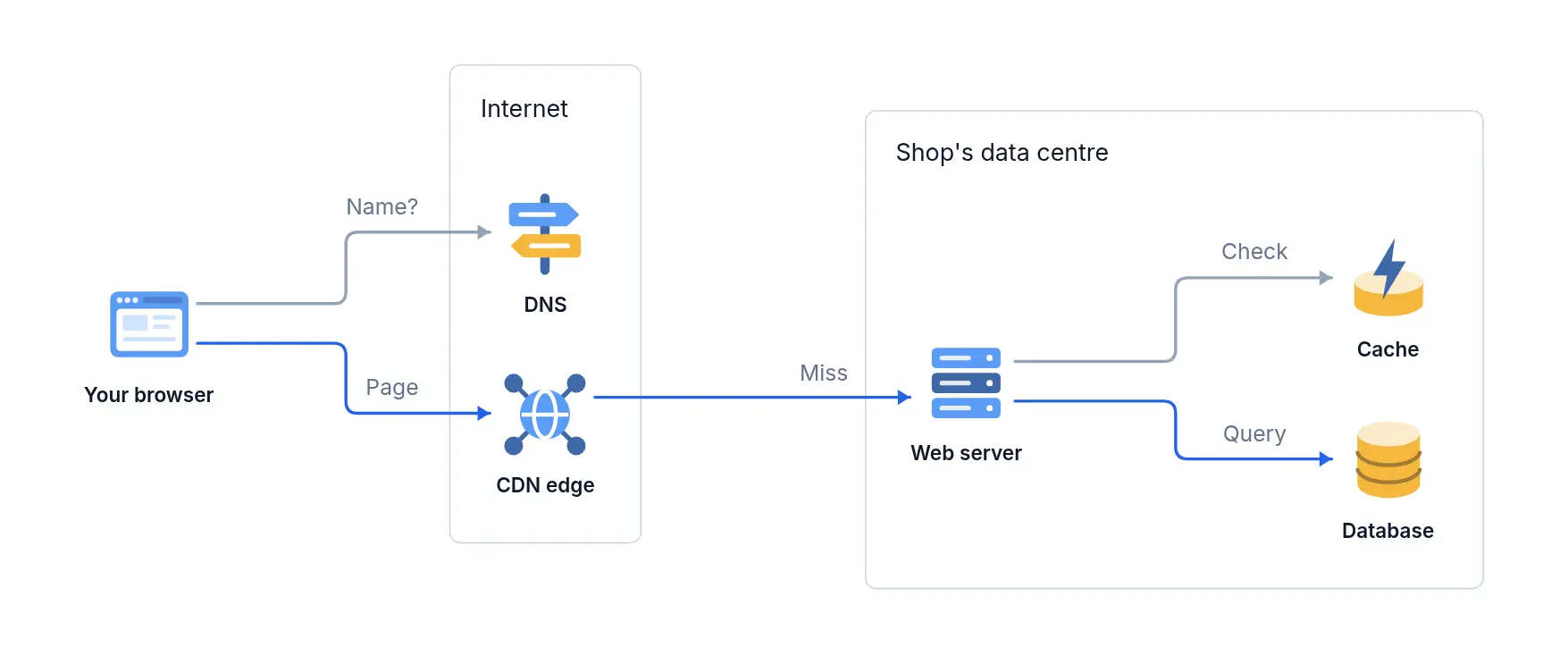
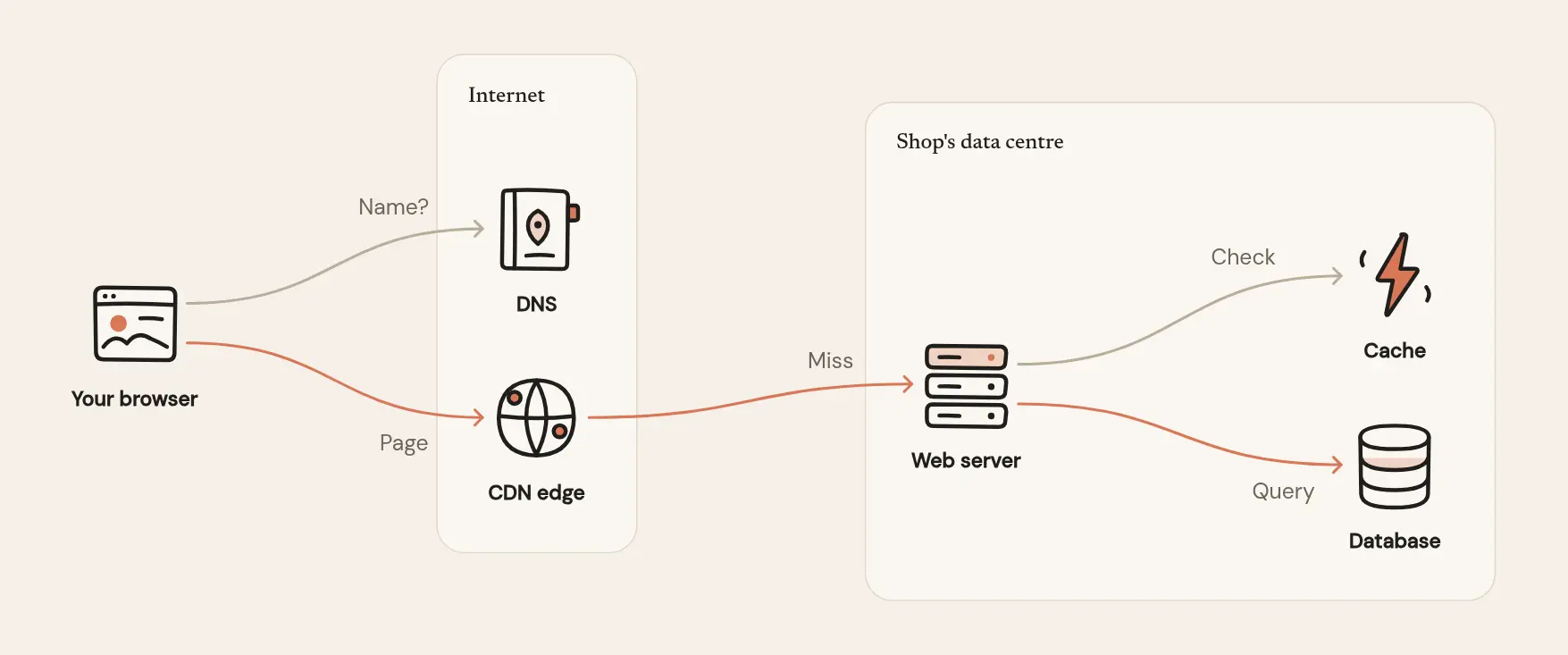
Before and after.
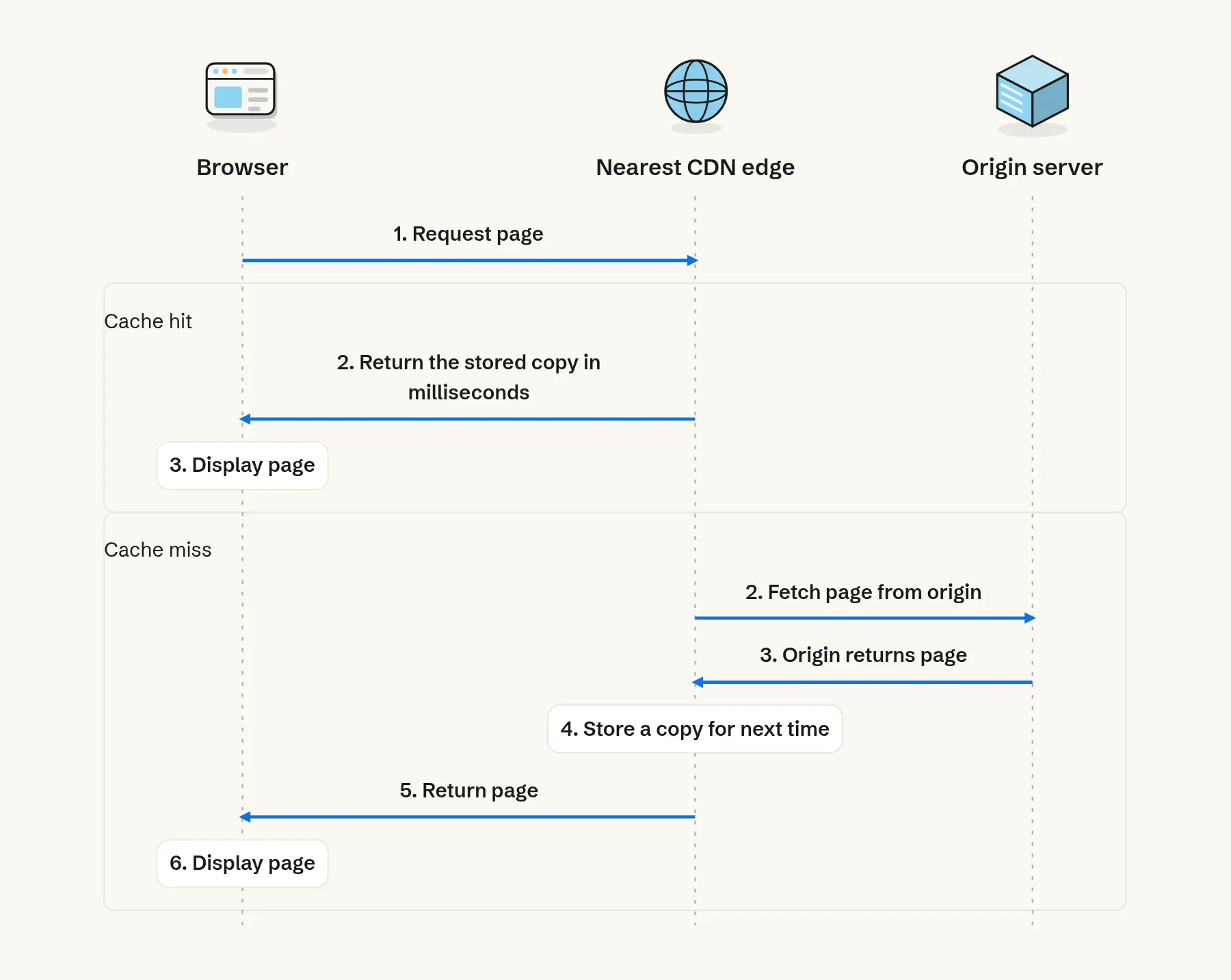
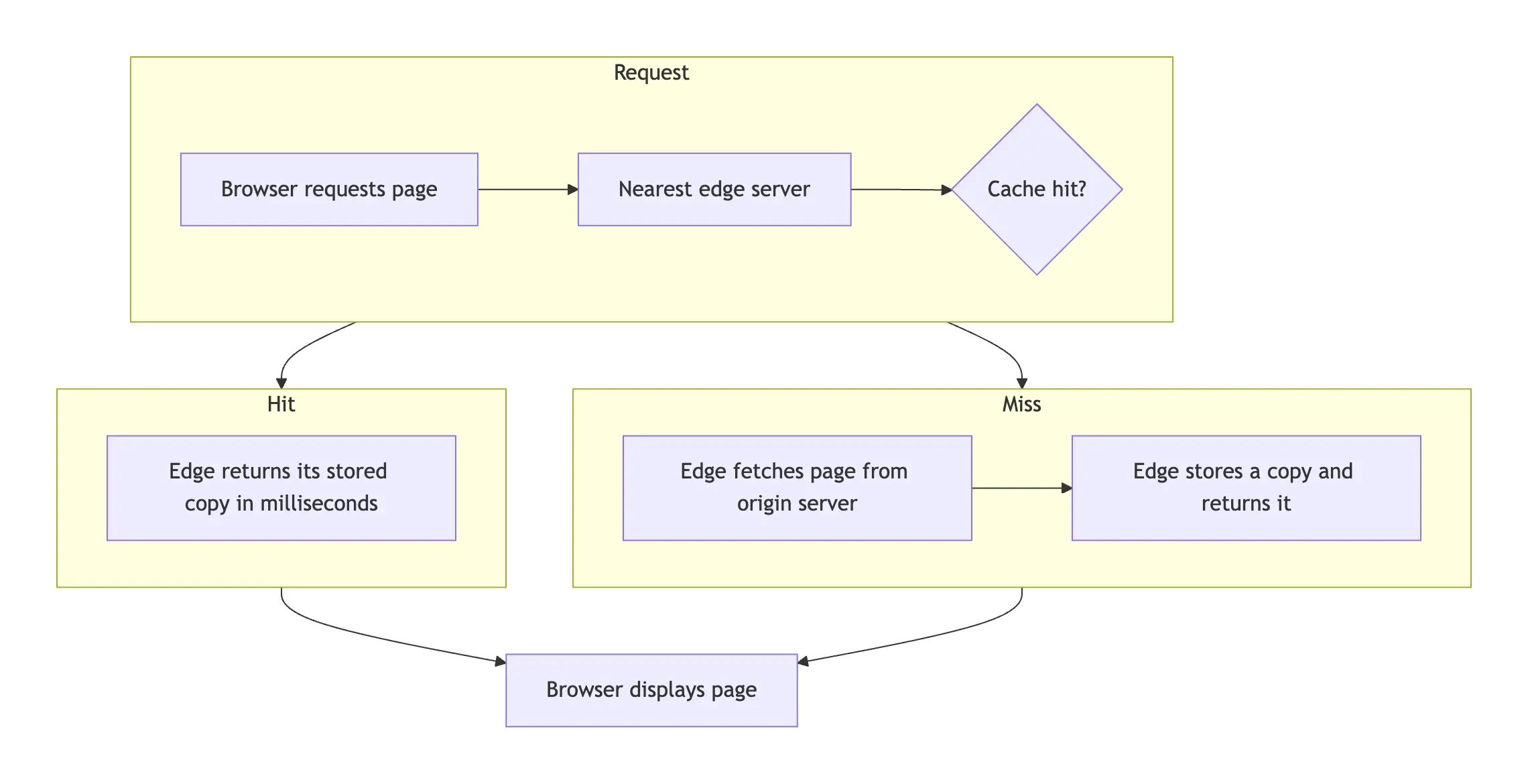
The same explainer of how a CDN serves a page, on a docs page. First as a Mermaid block Claude wrote, then as a diagramkit diagram.
Concepts
How the CDN serves a page
Concepts
How the CDN serves a page