Turn a technical topic
into a slide deck.
Your assistant builds the presentation, draws the diagrams with diagramkit, and places them on the slides.
Use diagramkit to make me a slide deck on how RAG works.
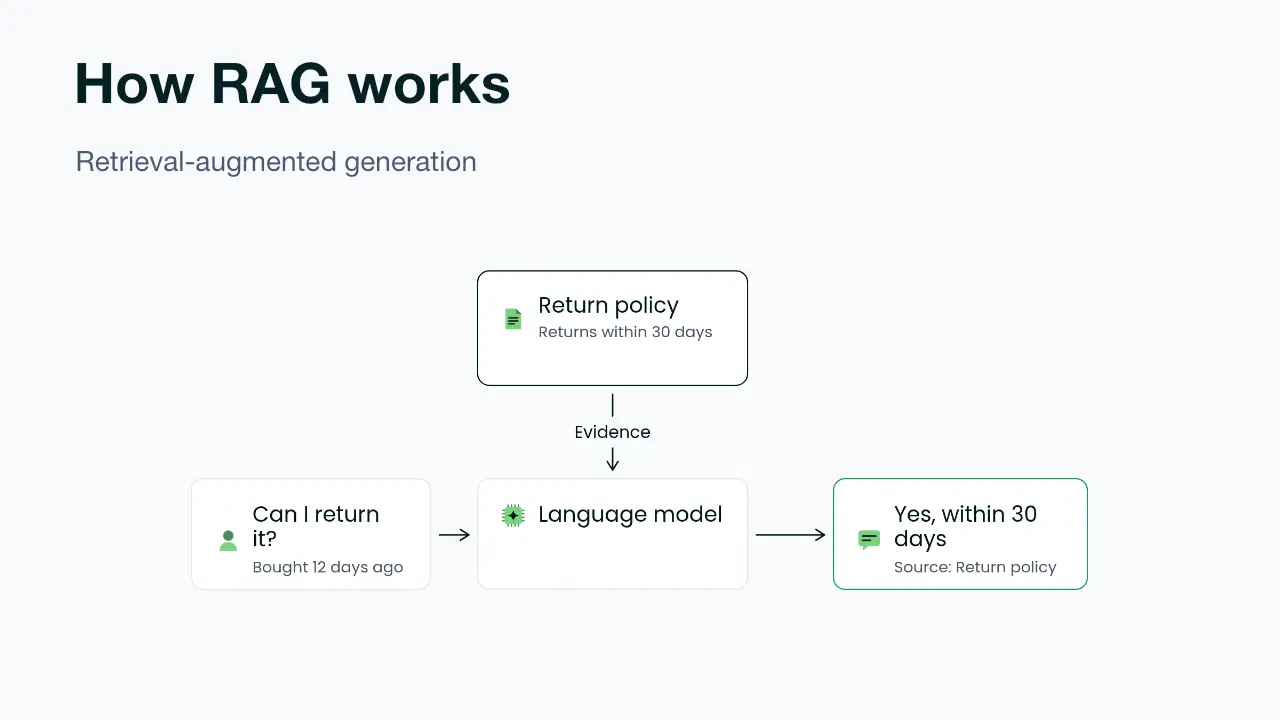
A complete explanation, slide by slide.
Thirteen slides covering RAG from the basics through architecture, embedding choices and chunking, with diagrams and speaker notes.
- Ask for the presentation. Give your assistant the topic, audience and what you want them to understand.
- Let it build the deck. With presentation tools and diagramkit connected, your assistant writes the slides, draws the figures and places them in the deck.
- Keep refining it. Ask for a deeper explanation, another example or a shorter version. The diagrams stay saved in your diagramkit library.
Questions
What do I need connected?
An assistant with tools to create presentations, plus diagramkit for its diagrams. This example was built in Codex using its presentation tools and the diagramkit MCP.
Does diagramkit create the presentation file?
Your assistant creates and saves the presentation with its presentation tools. diagramkit draws, checks and saves the diagrams it uses.
Can I use my own material?
Give your assistant the notes, documents or outline you want to teach from, and ask it to turn them into a presentation with diagrams.
Can I edit a diagram later?
Ask your assistant to revise the saved diagram, or open it in diagramkit to move parts and edit labels. Your assistant can then put the updated visual into the deck.